
The guide covers Linux VMs preparation, Coriolis automatic handling of LUKS (both LUKS1 and LUKS2) encrypted Linux migration, first boot expectations and common troubleshooting problems.
NOTE: This currently only works when migrating to the platforms below. Support for other destination platforms will be added later:
- SUSE KVM
- SUSE Virtualization
Migration workflow:
1. You add a new passphrase (“migration passphrase”) to the LUKS container on the source VM, in addition to whatever key it already uses (a regular passphrase, a TPM-sealed key, a Tang-bound key, etc.):
|
1 2 3 4 5 6 7 8 9 10 11 12 13 14 15 16 17 18 |
# first, we identify the encrypted partition. cloudbase@ubuntu24luks:~$ lsblk NAME MAJ:MIN RM SIZE RO TYPE MOUNTPOINTS sda 8:0 0 25G 0 disk ├─sda1 8:1 0 1G 0 part /boot/efi ├─sda2 8:2 0 2G 0 part /boot └─sda3 8:3 0 21.9G 0 part └─dm_crypt-0 252:0 0 21.9G 0 crypt └─ubuntu--vg-ubuntu--lv 252:1 0 11G 0 lvm / # the encrypted partition is /dev/sda3; add a new key to it. cloudbase@ubuntu24luks:~$ sudo cryptsetup luksAddKey /dev/sda3 Enter any existing passphrase: Enter new passphrase for key slot: Verify passphrase: # now we confirm the new key was added. cloudbase@ubuntu24luks:~$ sudo cryptsetup luksDump /dev/sda3 # here we confirm another keyslot was added |
2. Users pass the migration passphrase from step 1 to Coriolis when creating the transfer. It does not need to be memorable long-term; it is deleted automatically after the first boot of the migrated VM.
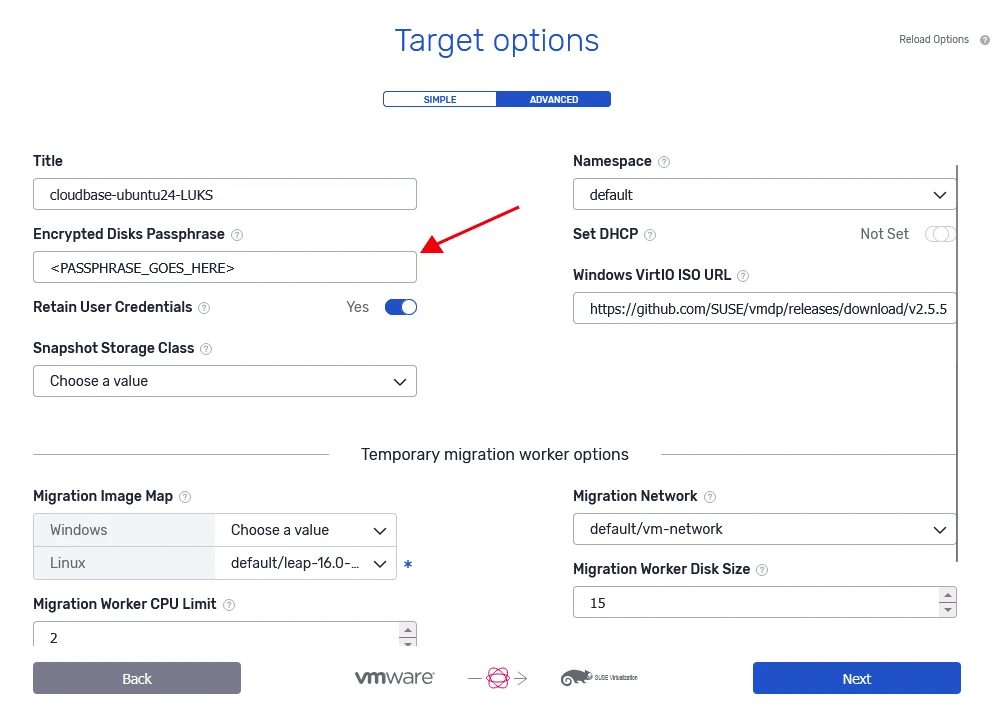
3. Coriolis copies the encrypted disk as-is (it never decrypts data at the block level), then during OS Morphing it uses the migration passphrase to unlock the container just long enough to inject drivers, rebuild the initramfs and stage a first-boot cleanup script.
4. On its first boot, the migrated VM re-enrolls encryption using the destination’s TPM, removes the migration passphrase added at step 1, and reboots itself. If the destination VM does not have a (v)TPM device, the first-boot script aborts before removing the migration keyslot; it deliberately does not touch it once TPM enrollment fails, to avoid locking users out of the disk.
Note 1: Check with your Coriolis provider before migrating LUKS-encrypted VMs, and confirm the option is enabled for the target environment/pool you’re migrating into.
Note 2: Your original key (e.g. the source VM’s TPM-sealed slot) is never touched or shared with Coriolis, it only ever needs the migration passphrase.